|
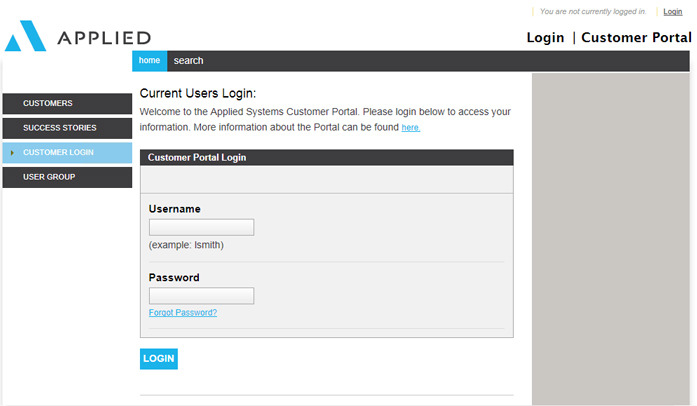
The Portal provides a single interface to interact with Applied. Some features of the Customer Portal include:
How do I create a Portal administrator account if our Portal Administrator is no longer with our agency or brokerage? Have your agency's owner or main IT contact fax a signed letter to Software Support at (708) 534-5576 on your agency's letterhead stating that it is OK for Support to grant you administrator rights to the Portal.
Note: You must have a valid email account and Administrator Rights to complete registration for the customer Portal.
The Applied Systems customer Portal provides a customized menu based on your product. By setting up users for the Portal, Applied Systems can gather information and provide information specific to your users’ needs.
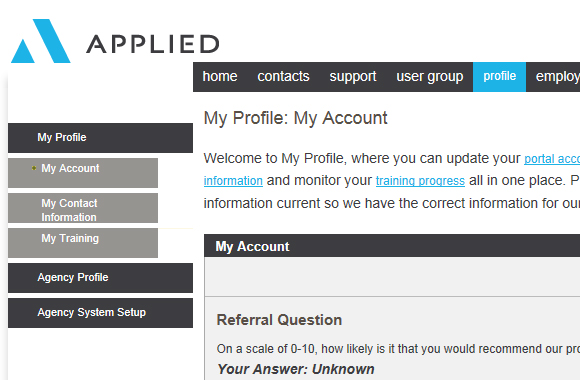
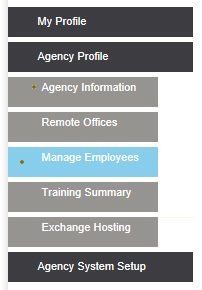
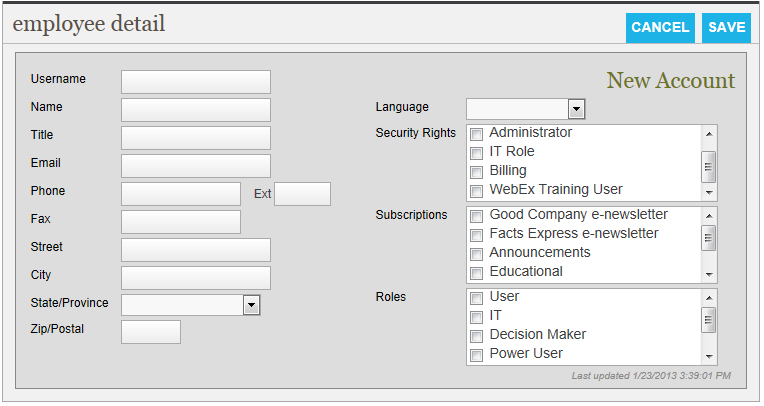
5. Under Agency Profile, click Manage Employees.
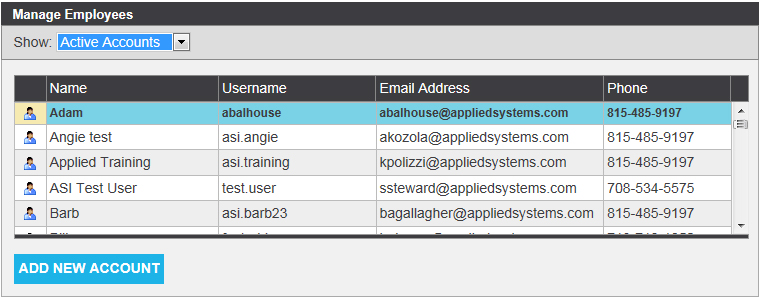
Note: The username must be unique, which means that no other Applied Systems customer can use the same login credentials. If you receive a message saying "Username is already in use," try a different username. We recommend using the employee's email address as that should be unique. Make sure to enter a valid email address in the email field, since the user password will be sent by email.
Note: Customer Portal passwords are case sentitive, expire every 90 days, cannot use common or well-known passwords (e.g. Password), and must maintain the password policy

After a user account is created on the Customer Portal, the user will receive an email message that includes his or her new password.
This is a sample copy of that email:
Thank you for registering with the Applied Systems Portal!
We are writing to confirm your registration and to provide you with your new password.
Your User Name is: nnnnnnnn. Your password has been set to: pppppppp
Note: Passwords are case-sensitive. You may change your password under the Profile Tab within the Portal.
Some features of the Applied Systems Portal include...
Go to http://www.appliedsystems.com/apps/Portal/ to enter the Portal now...
QUESTIONS about the Portal?
Documentation can be found at http://www.appliedsystems.com/doc_central_public/Portalpublic.htm
Or email us at: webmaster@appliedsystems.com
We hope you enjoy your personalized user experience with Applied Systems.
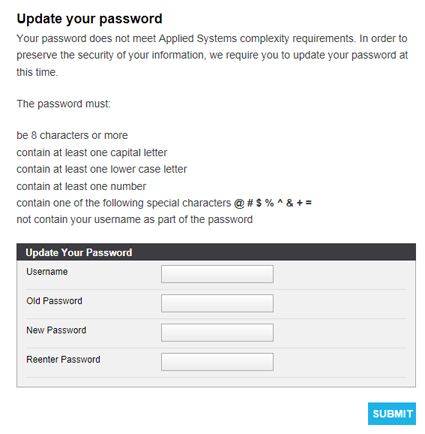
Note: To avoid login errors, it is recommended that you enter your password manually rather than pasting it into the Password field.
The Customer Portal has four tabs: Home, Management System (e.g. TAM, Epic, Vision, or DORIS), Support, and Profile.
The Portal is made up of tabs and modules. Tabs (outlined below) are groups of related modules. Tabs are either gray or blue, with blue being the active tab. Modules contain specific information or functions. Modules are delineated by a “gray bar.”
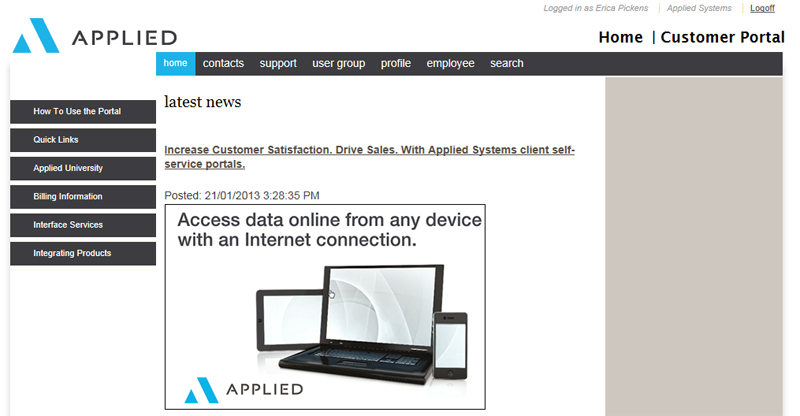
The Home tab provides quick access to Portal Instructions, a list of Quick Links, Applied University, Billing Information (if your Security rights permit access), Interface Services, Product Advisory Community, and the latest News section.
The Contacts tab contains information about your sales consultant and Applied Systems phone numbers.
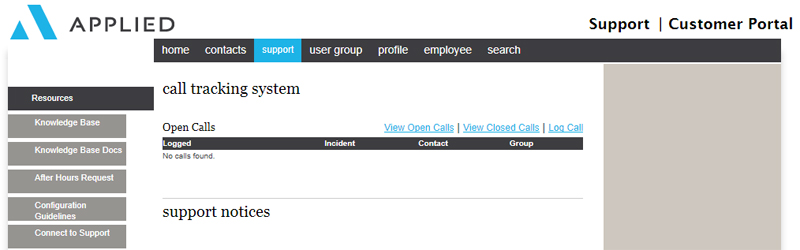
From the Support tab, you can:
Access the Knowledge Base.
Learn about and request After Hours support.
View support notices.
View open and closed calls and submit feedback.
Access the Product Advisor Community
Access Live Chat or log a call.
View product documentation and release notes.
Find the supervisor assigned to your area.
Access the monthly Facts Express newsletter archives.
Access Product Webinars from Customer Support.
Review AppliedOnline Network Status page.
Download new updates (LAN customers only).
The User Group tab displays information about ASCnet, the Applied Systems Client Network, and their partnership with the Product Advisory Community.
Product Advisory Community is a group of collaborative forums that offer an innovative way for users and Applied Systems to work together toward product innovation. These forums provide another method for us to identify business needs and obstacles requiring solutions.
The Profile tab displays your account information and personnel information. You can update your own information, and, if you are an administrator, you can update account information and add and modify user accounts.
For more information on administrator access, see Client Portal Administration/Security.
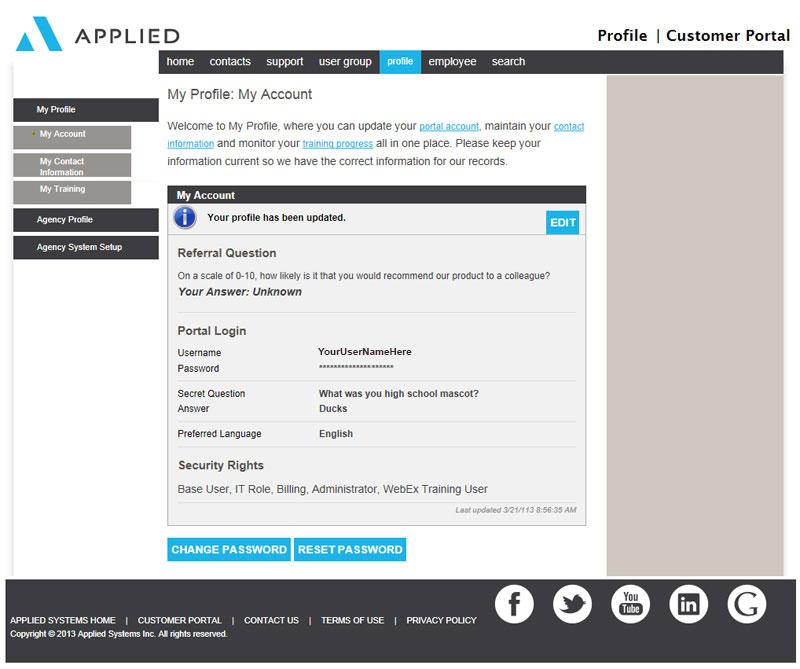
Use the My Account link to select a secret question in case you forget your password, and select the preferred language you wish to receive correspondence in.
Use the My Contact Information link to update your information by clicking Edit. From this page, you can change personal and security information, subscribe to specific publications, and change your password. To change information or subscriptions, make the necessary edits and click Save.
Use the My Training link to view a record of the live and recorded classes that you have taken through Applied University.
If you would like to have administrator or billing rights to the Portal, either have someone who already has administrator rights at your agency grant them to you under Profile > Agency Profile > Manage Employees, or have your agency's owner or main contact fax a signed letter to Software Support at (708) 534-5576 on your agency's letterhead stating that it is OK for Support to grant you these rights.
There are six security levels, and more than one level can be assigned to a user account.
Administrator
Note: Accounts cannot be deleted. They can, however, be disabled from the Profile tab.
Billing Rights
IT Role
Base Rights
APM User
I forgot my password or can't login using my new
password. How can I reset my password?
You can either contact your organization's
Portal Administrator
to reset your password, or you can access the
http://www.appliedsystems.com home page, select
customer login,
and select the
Forgot Password
option.
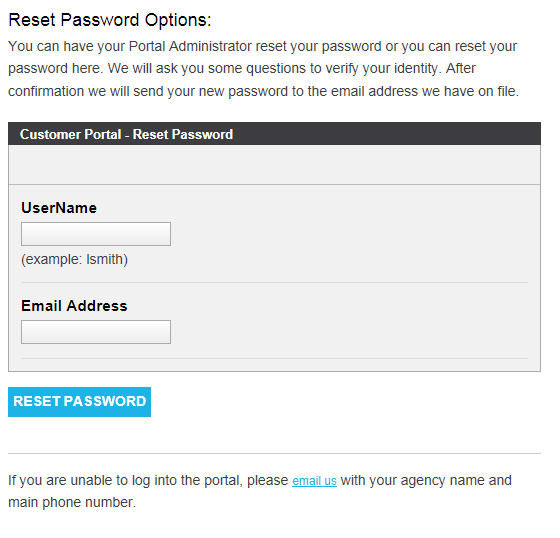
You will be prompted for your UserName, your Email Address, and the answer to your Secret Question. In a few moments, you will receive an email from Applied Systems Automated Email with the new password. If you forgot the answer to your Secret Question, have the owner of your agency or your main IT contact fax a signed letter to Software Support at (708) 534-5576 on your agency's letterhead stating that it is OK for Support to reset your password.
Last Revised: April 22, 2014 11:04 AM